






Special Announcement:

Steps to enroll in eStatements:

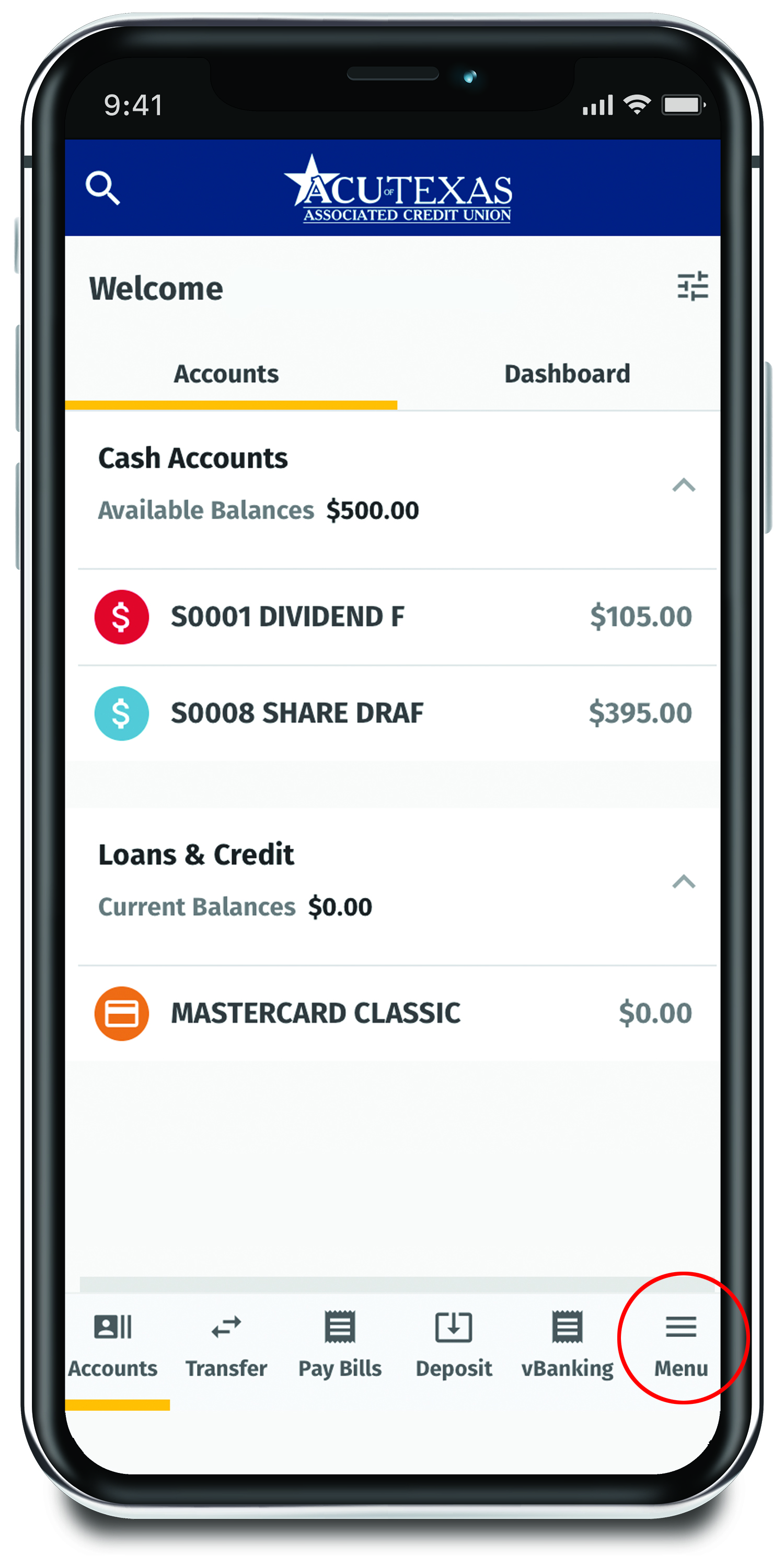
Step 1 - Log in & Select Menu
estatements screenshot step 1

Log in to Openland Digital Banking and click on the Menu Icon along the bottom menu bar.
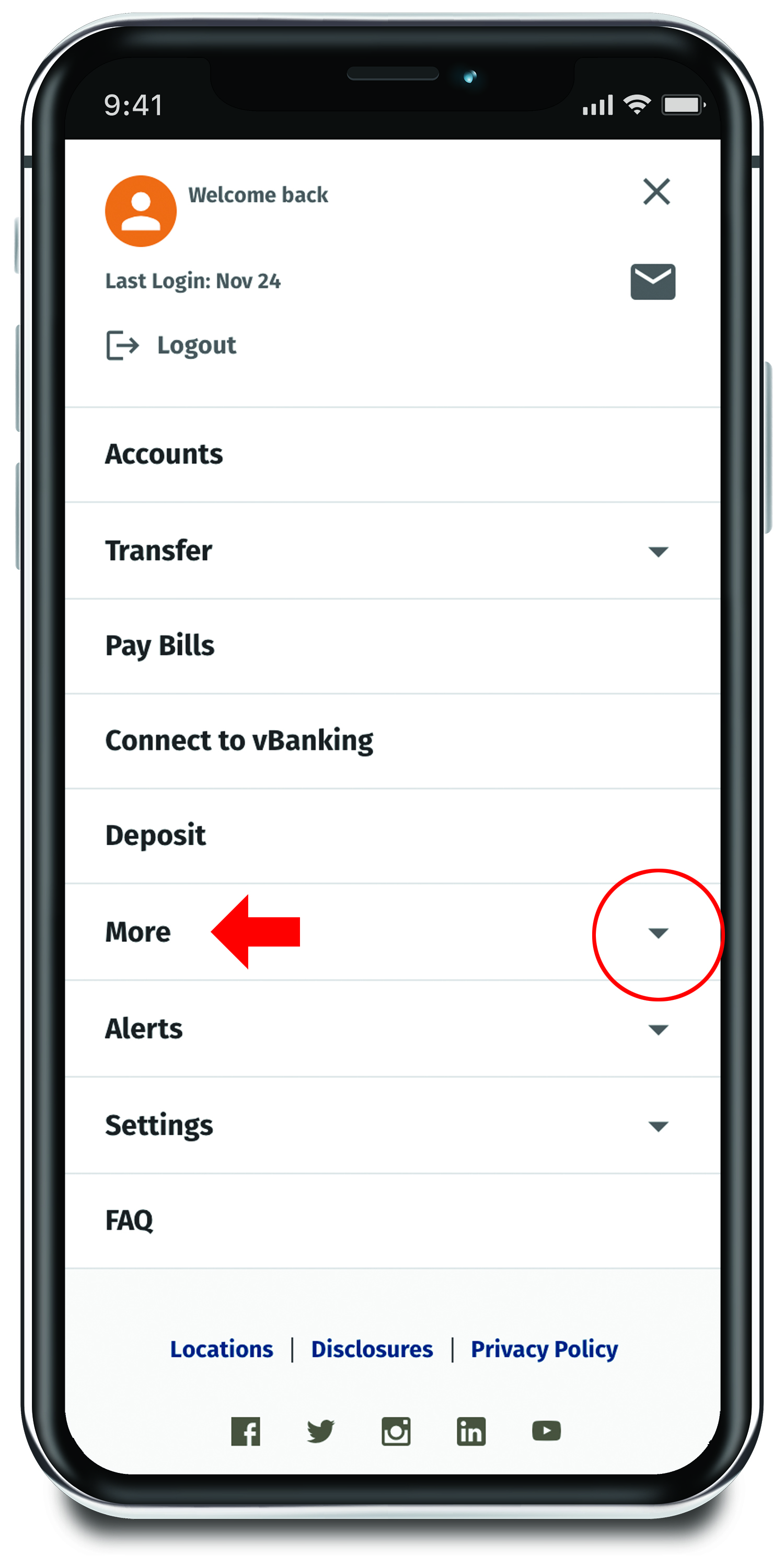
Step 2 - Find the More Dropdown
estatements screenshot step 2

Scroll down and click the arrow next to More to open the dropdown menu.
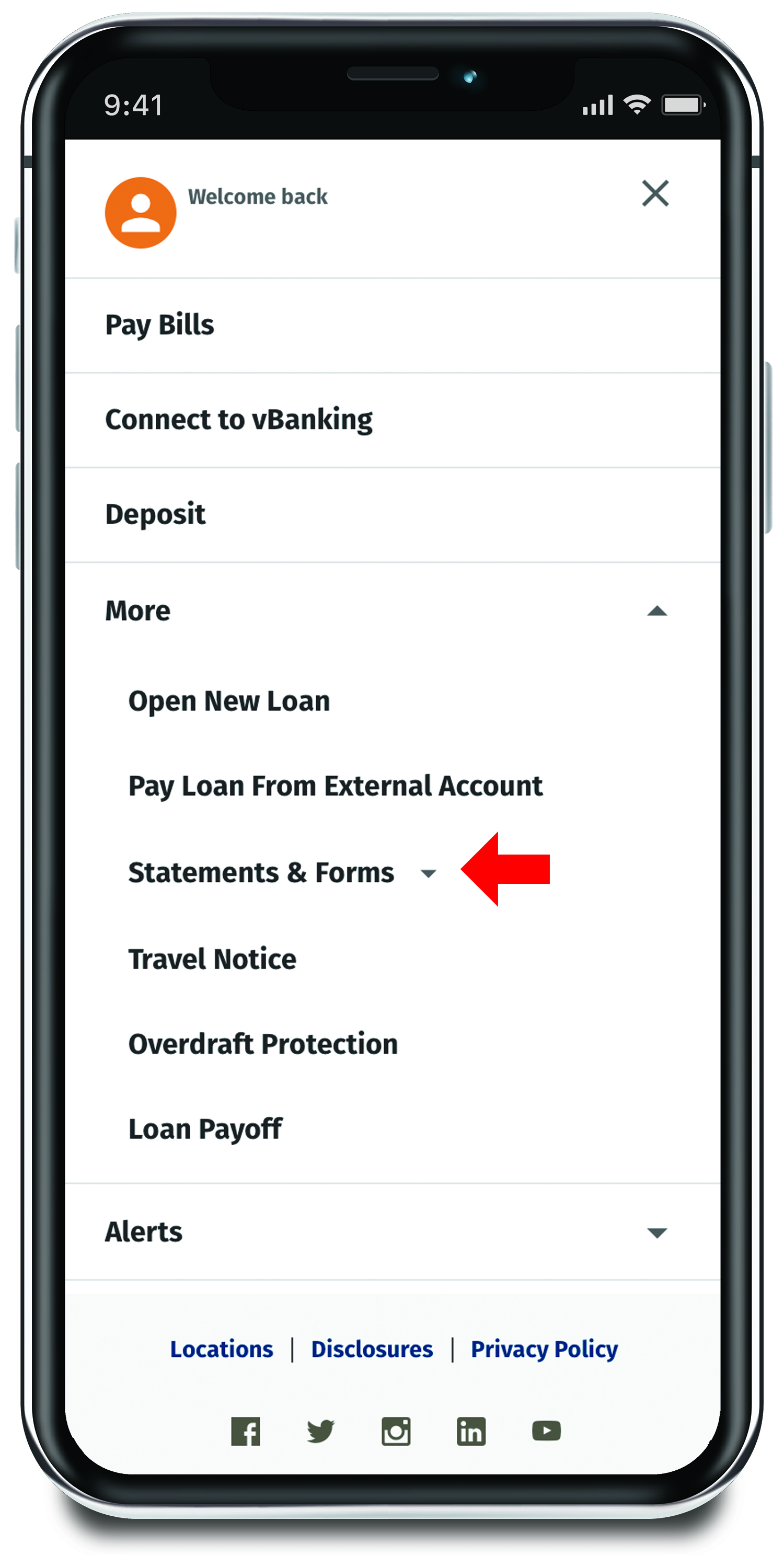
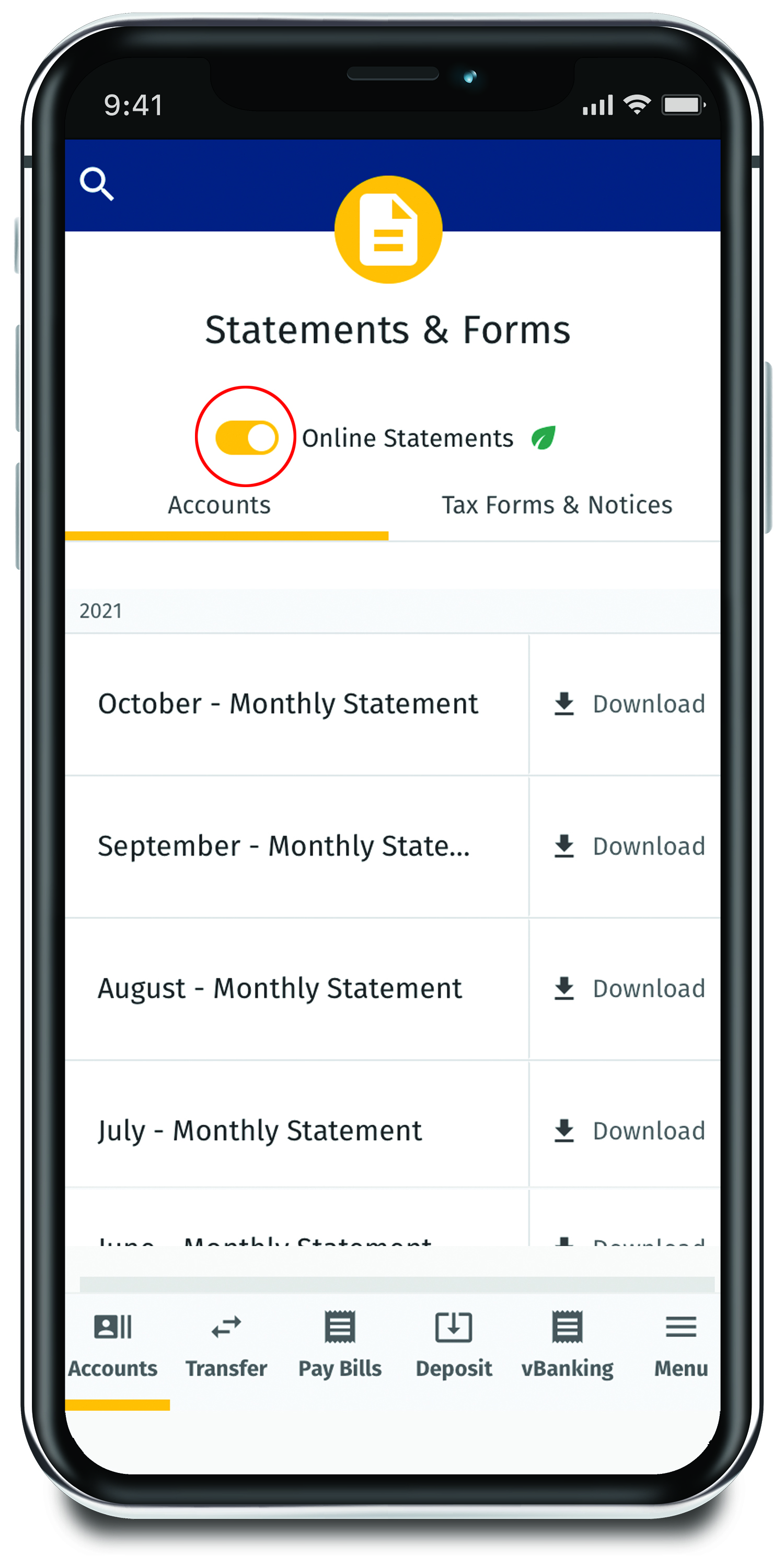
Step 3 - View Statements & Forms
estatements screenshot step 3

Select Statements and Forms to open the dropdown menu.
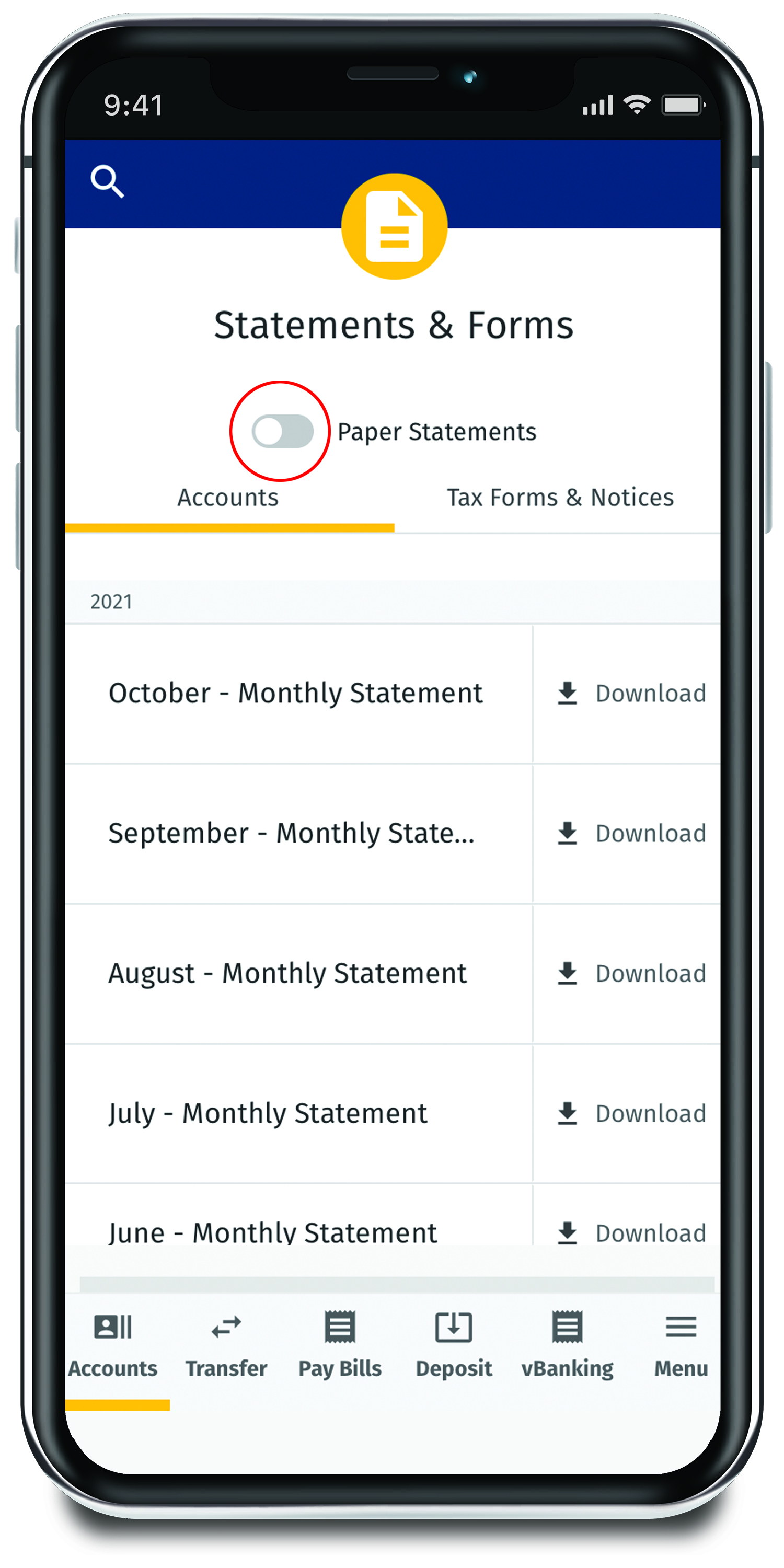
Step 4 - Toggle to eStatements
estatements screenshot step 5

Slide the button next to Paper Statements to enroll in eStatements.
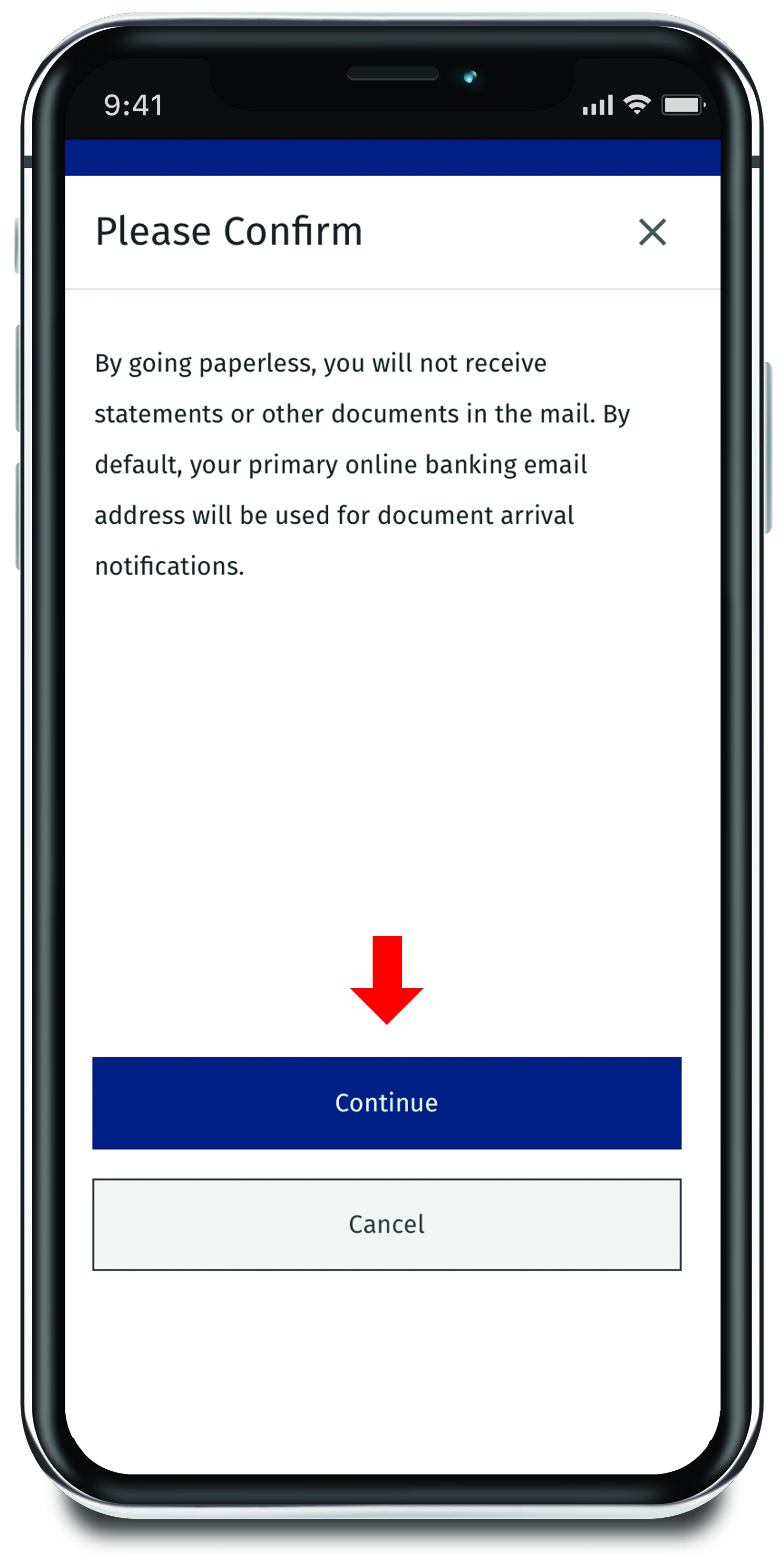
Step 5 - Click Continue
estatements screenshot step 6
Select continue to confirm.
Step 6 - Confirm
estatements screenshot step 07
Once confirmed, the slider button will indicate that you are now enrolled in eStatements.

Frequently Asked Questions

Are eStatements safe?
Yes, eStatements are highly secure and protect your sensitive information better than traditional mailing methods. 
How will I know my eStatement is ready?
You’ll receive an email notification as soon as your eStatement is available to view in Digital Banking. 
Can I still print my eStatements if needed?
Absolutely! You can download and print your statements any time, giving you full flexibility. 

More of what matters.

When you become an Openland Credit Union member, you become part of everything we do to impact our communities.

We can't wait to show you what's possible.

Let's Hear From #happyOpenlandCUmembers!

Brianna's story

They helped me refinance at a better rate and made the entire process simple and efficient. Opening an account was quick and easy, and I felt well supported throughout. Excellent service and professionalism, I highly recommend!
Brianna – Member

Skip The Line!

Mobile Access to your Accounts Anytime, Anywhere!

Easy Access on the Go
  • Log In Fast
  • Manage From Anywhere
Learn More about mobile banking

The Openland Credit Union Mobile app allows you to view your transaction history and account balances, pay bills, make transfers and locate our nearest ATMs and branches!


  • Download on the App Store
  • Get it on Google Play